

Developer Guide
Sending
Sending Payments
Section titled “Sending Payments”This guide explains how to send Lightning Network and onchain Bitcoin payments using the Voltage API.
Related Guides
Section titled “Related Guides”For detailed guides specific to your wallet type:
- Sending (USD Line of Credit) – For USD wallets (requires quotes)
- Sending (BTC Line of Credit) – For BTC wallets (no quotes needed)
Dashboard cross-check
Section titled “Dashboard cross-check”For the BTC workflow on this page, choose Mutinynet Bitcoin. If you are testing the USD line-of-credit workflow, use Mutinynet USD and follow Sending (USD Line of Credit). Voltage Cash is the experimental stablecoin test wallet and is not used for either BTC or USD line-of-credit testing.
In the selected Development wallet, select Send, enter a test Lightning invoice, and select Review. The review drawer shows the amount, maximum fee, method, route, and a truncated destination before submission. After sending, confirm the terminal result in All Payments.
Use this dashboard flow to verify an integration manually. Automated systems should continue to read current payment state through the Payments API and webhooks.
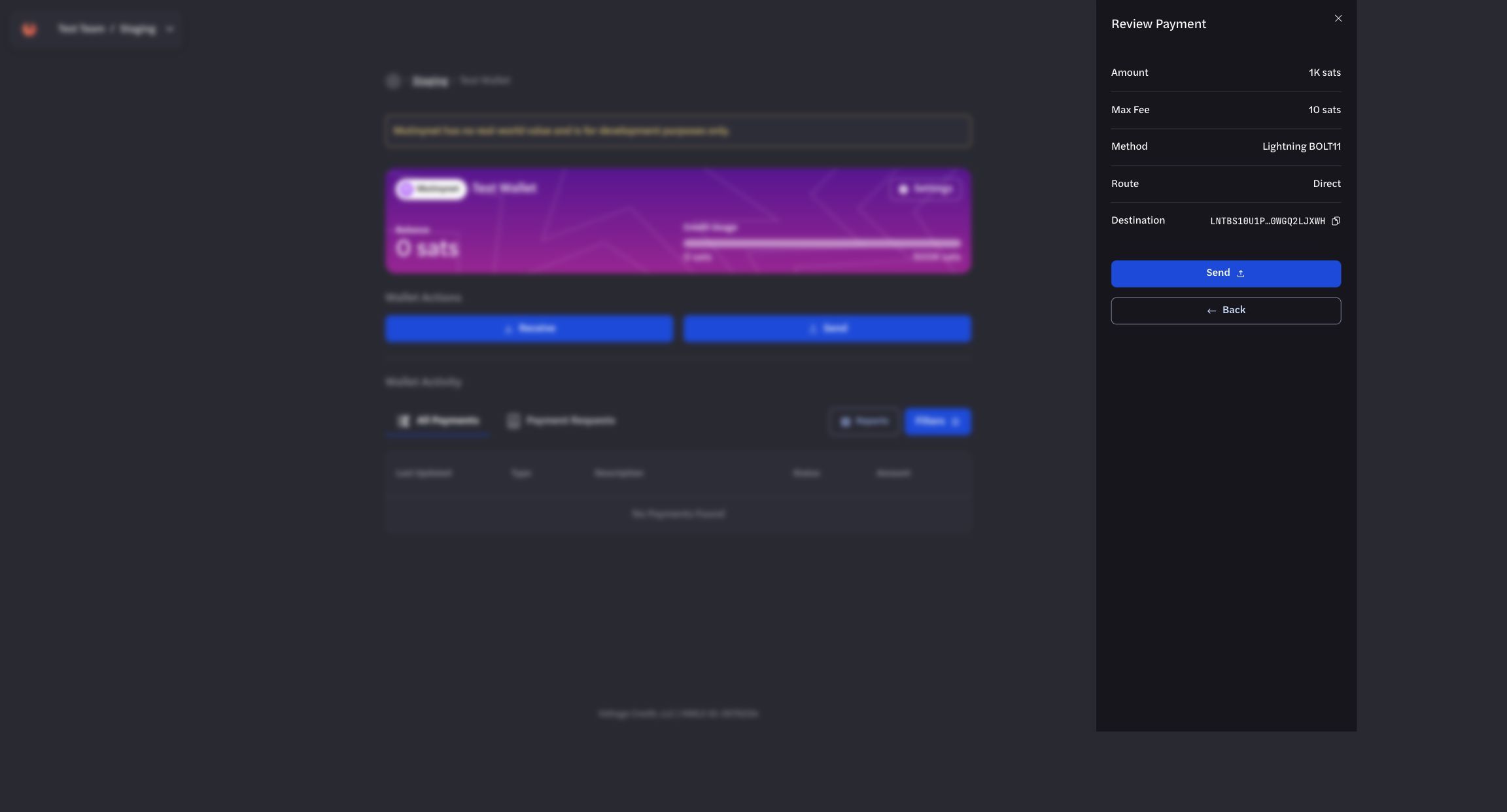
Review the amount, maximum fee, method, route, and destination before sending.
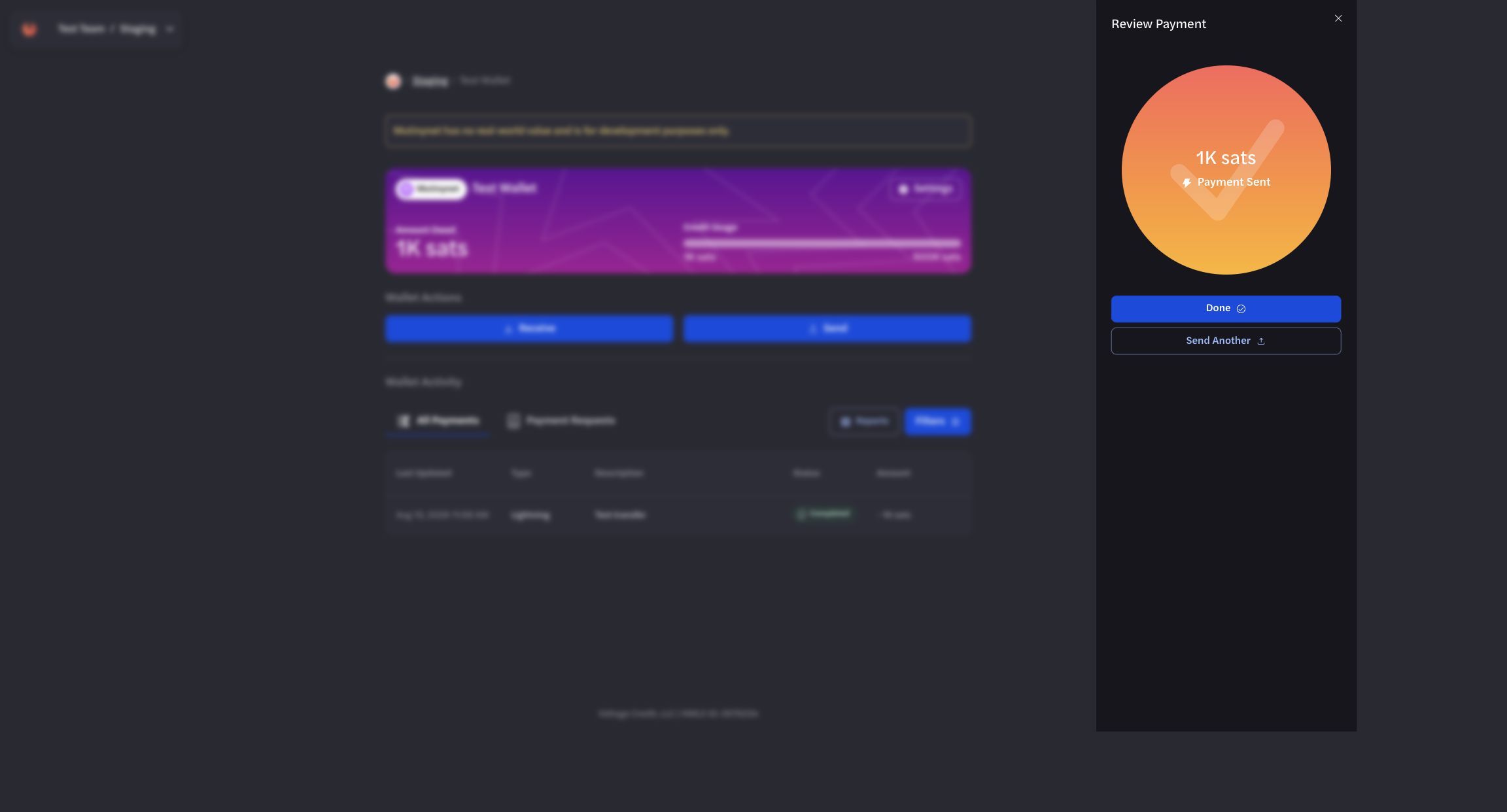
Wait for a terminal status before treating the payment as complete.
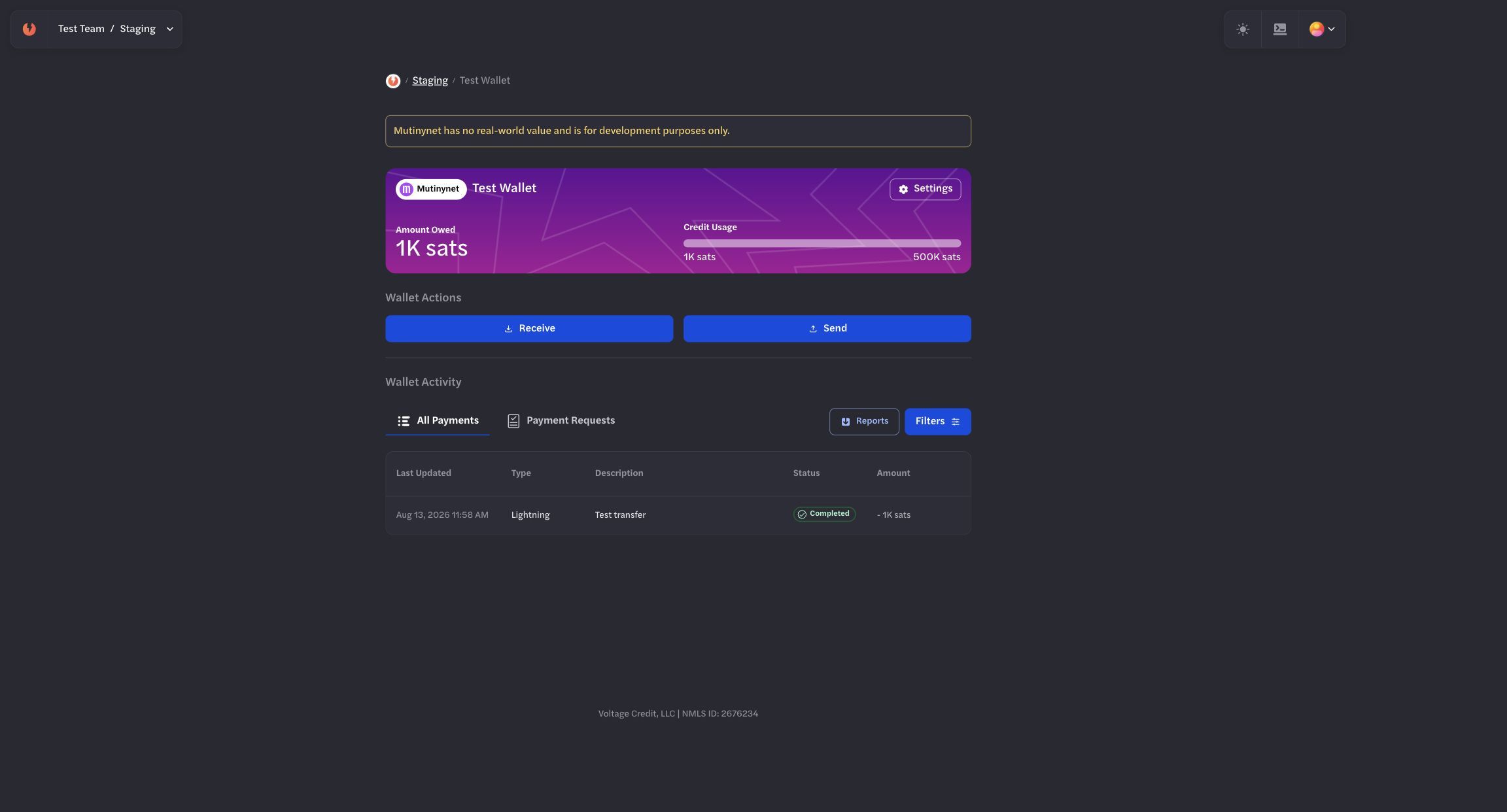
Use All Payments to cross-check the final outgoing state.
Prerequisites
Section titled “Prerequisites”- A Voltage account with an active wallet
- An API key (get this from the “API Keys” page in your dashboard)
Sending a Payment
Section titled “Sending a Payment”Endpoint
Section titled “Endpoint”POSThttps://voltageapi.com/v1/organizations/{organization_id}/environments/{environment_id}/paymentsHeaders
Section titled “Headers”x-api-key: your-api-keyContent-Type: application/jsonRequest Body
Section titled “Request Body”Lightning Payment (bolt11)
Section titled “Lightning Payment (bolt11)”{ "id": "68d00852-8dd8-4c71-94d2-91c84695da78", // UUID created by you "wallet_id": "7a68a525-9d11-4c1e-a3dd-1c2bf1378ba2", "currency": "btc", "type": "bolt11", "data": { "payment_request": "lntbs1500n1p...", // Required: Lightning invoiceto pay (cannot be empty) "amount": { "currency": "btc", "amount": 150000, "unit": "msats" // Optional when payment_request already containsan amount // Required when payment_request has no amount // If provided with an amount-containingpayment_request, values must match // Must be greater than 0 (msats) }, "max_fee": { "currency": "btc", "amount": 1000, "unit": "msats" // Optional: defaults to 1% of payment value or1,000 msats (whichever is greater) // Must be greater than 0 (msats) // Legacy alias: max_fee_msats is also accepted } }}Onchain Payment
Section titled “Onchain Payment”{ "id": "2ec1e783-19b4-4c10-8181-66336a6232bd", "wallet_id": "7a68a525-9d11-4c1e-a3dd-1c2bf1378ba2", "currency": "btc", "type": "onchain", "data": { "address":"tb1pzkhtj4ld86g9c49du5yagnncfrm0s489t76vmrwmt2ecxfnf7spsvjte49", "amount": { "currency": "btc", "amount": 15000000, "unit": "msats" // 15,000,000 msats = 15,000 sats }, "max_fee": { "currency": "btc", "amount": 1000000, "unit": "msats" }, "description": "test payment" }}Unified Payment (bip21)
Section titled “Unified Payment (bip21)”{ "id": "3e84b6c5-5bbe-4e0f-9fb3-f1198330f6fa", "wallet_id": "7a68a525-9d11-4c1e-a3dd-1c2bf1378ba2", "currency": "btc", "type": "bip21", "data": { "address":"bitcoin:tb1pzkhtj4ld86g9c49du5yagnncfrm0s489t76vmrwmt2ecxfnf7spsvjte49?lightning=lntbs1500n1p...", "payment_request": "lntbs1500n1p...", // optional but recommended ifyou already have it "amount": { "currency": "btc", "amount": 150000, "unit": "msats" // optional if you rely purely on the BIP21 URI amount }, "max_fee": { "currency": "btc", "amount": 1000, "unit": "msats" }, "description": "Payment for services" }}Required fields
Section titled “Required fields”id– Unique identifier for the payment (UUID you create).wallet_id– ID of the BTC wallet sending the payment.currency– Must be “btc”.type– Must be “bip21”.data.address– BIP21 URI to pay (cannot be empty).
Optional but common
data.payment_request– Optional Lightning invoice (if you want to pass it separately).data.amount– BTC Amount object in msats.data.max_fee– BTC Amount object in msats (max Lightning fee).data.description– Optional description/memo.
Monitoring Payment Status
Section titled “Monitoring Payment Status”After sending a payment, monitor its status using:
GEThttps://voltageapi.com/v1/organizations/{organization_id}/environments/{environment_id}/payments/{payment_id}The payment will transition through these states:
- sending: Payment is in progress
- completed: Payment was successful
- failed: Payment failed (check error field for details)
Processing Fees
Section titled “Processing Fees”Your organization can charge an optional percentage processing fee on payments. Processing fees are off by default and are configured per wallet. See Processing Fees for how to view and set your rates.
When a rate is configured, send payment responses include a processing_fee object and a payment_breakdown:
{ "processing_fee": { "basis_points": 100, "amount": { "currency": "btc", "amount": 1500, "unit": "msats" } }, "payment_breakdown": { "principal": { "currency": "btc", "amount": 150000, "unit": "msats" }, "network_fee": { "currency": "btc", "amount": 1000, "unit": "msats" }, "processing_fee": { "currency": "btc", "amount": 1500, "unit": "msats" } }}processing_fee.basis_points– the configured rate applied to this payment.100is 1%,250is 2.5%.processing_fee.amount– the fee calculated for this payment, in the principal’s assessment currency. It is available before settlement and stays stable across quote refreshes.- On a send, the processing fee is part of the amount debited from your wallet, alongside the network fee.
payment_breakdown.processing_fee– the authoritative settled fee. Use this for reconciliation.
Both fields are omitted when no processing fee applies, so this does not affect integrations that have no rate configured.
Error Handling
Section titled “Error Handling”Common HTTP status codes:
- 200: Success
- 400: Invalid request (check error message)
- 403: Authentication error
- 404: Payment not found
- 500: Server error
Example Implementation
Section titled “Example Implementation”Lightning Payment (BTC)
Section titled “Lightning Payment (BTC)”# Send Lightning payment (BTC wallet)curl'https://voltageapi.com/v1/organizations/{organization_id}/environments/{environment_id}/payments'\ --request POST \ --header 'x-api-key: your-api-key' \ --header 'Content-Type: application/json' \ --data '{ "id": "68d00852-8dd8-4c71-94d2-91c84695da78", "wallet_id": "7a68a525-9d11-4c1e-a3dd-1c2bf1378ba2", "currency": "btc", "type": "bolt11", "data": { "payment_request": "lntbs1500n1p...", "amount": { "currency": "btc", "amount": 150000, "unit": "msats" }, "max_fee": { "currency": "btc", "amount": 1000, "unit": "msats" } } }'Onchain Payment (BTC)
Section titled “Onchain Payment (BTC)”# Send onchain payment (BTC wallet)curl'https://voltageapi.com/v1/organizations/{organization_id}/environments/{environment_id}/payments'\ --request POST \ --header 'x-api-key: your-api-key' \ --header 'Content-Type: application/json' \ --data '{ "id": "2ec1e783-19b4-4c10-8181-66336a6232bd", "wallet_id": "7a68a525-9d11-4c1e-a3dd-1c2bf1378ba2", "currency": "btc", "type": "onchain", "data": { "address":"tb1pzkhtj4ld86g9c49du5yagnncfrm0s489t76vmrwmt2ecxfnf7spsvjte49", "amount": { "currency": "btc", "amount": 15000000, "unit": "msats" }, "max_fee": { "currency": "btc", "amount": 1000000, "unit": "msats" }, "description": "test payment" } }'Check Payment Status
Section titled “Check Payment Status”curl'https://voltageapi.com/v1/organizations/{organization_id}/environments/{environment_id}/payments/{payment_id}'\ --header 'x-api-key: your-api-key'curl 'https://voltageapi.com/v1/organizations/{organization_id}/environments/{environment_id}/payments/{payment_id}' \ --header 'x-api-key: your-api-key'