

Developer Guide
Staging Environment
Use a staging environment to build and test a Payments integration without moving real funds. Keep staging wallets, credentials, webhook destinations, and test data separate from production.
Getting started
Section titled “Getting started”- Create or open a staging environment in the Voltage dashboard.
- Add a Development wallet using the currency required by your test.
- Wait for the wallet overview to load.
- Create an environment-scoped API key with the minimum required permissions.
- Store the one-time key value in an approved secret manager.
Choose the Development wallet that matches the implementation being tested:
- Mutinynet Bitcoin: Bitcoin-backed implementations, including node-backed Bitcoin and credit-backed Bitcoin.
- Mutinynet USD: USD line-of-credit implementations that move payments over Bitcoin or Lightning while using a USD denomination.
- Voltage Cash: Experimental stablecoin testing only. It is not currently live for production use because the intended Tether-backed asset has not yet been minted.
Development balances have no real-world value.
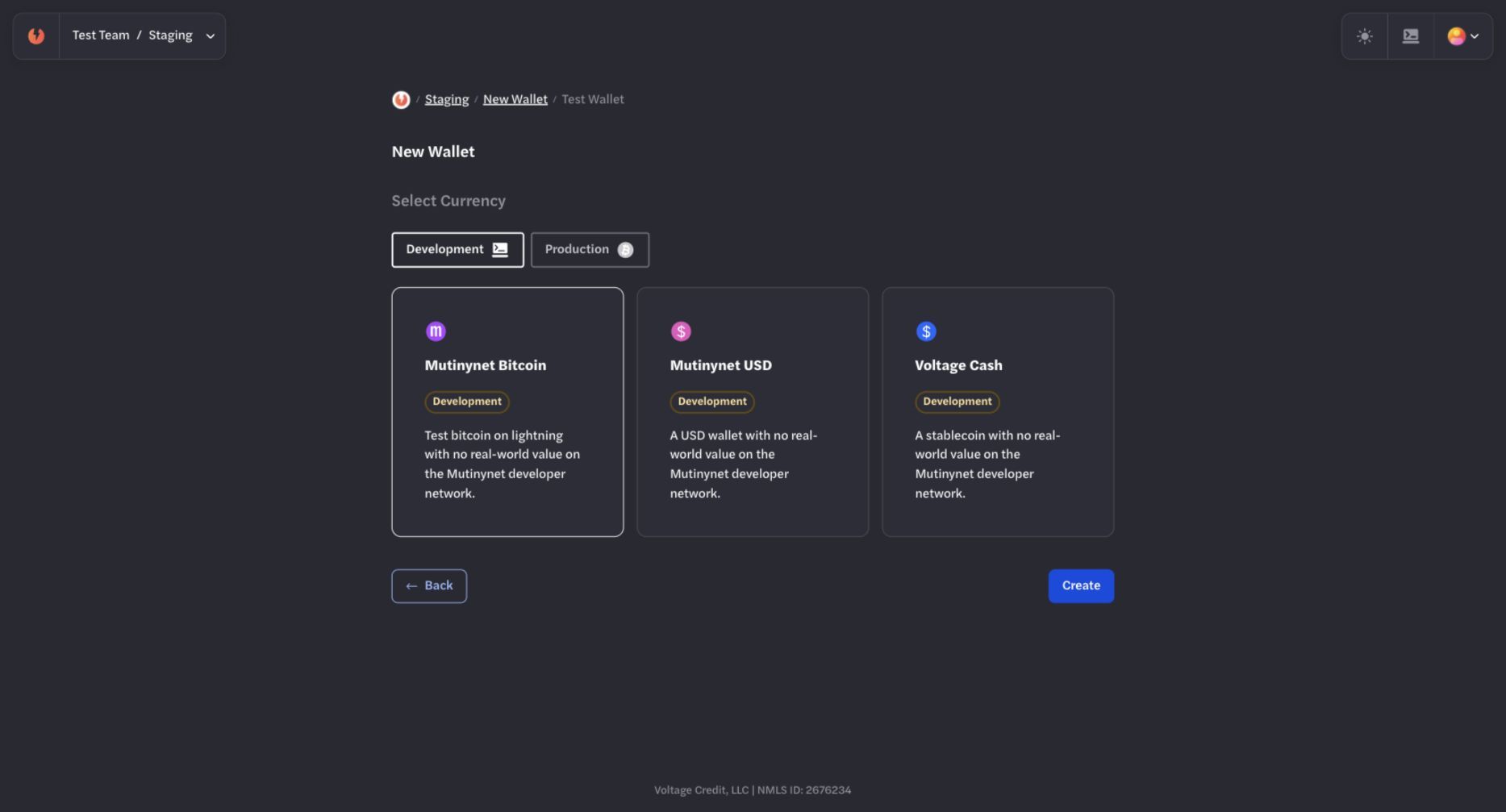
Choose Mutinynet Bitcoin for Bitcoin-backed tests, Mutinynet USD for USD line-of-credit tests, or Voltage Cash only for experimental stablecoin testing.
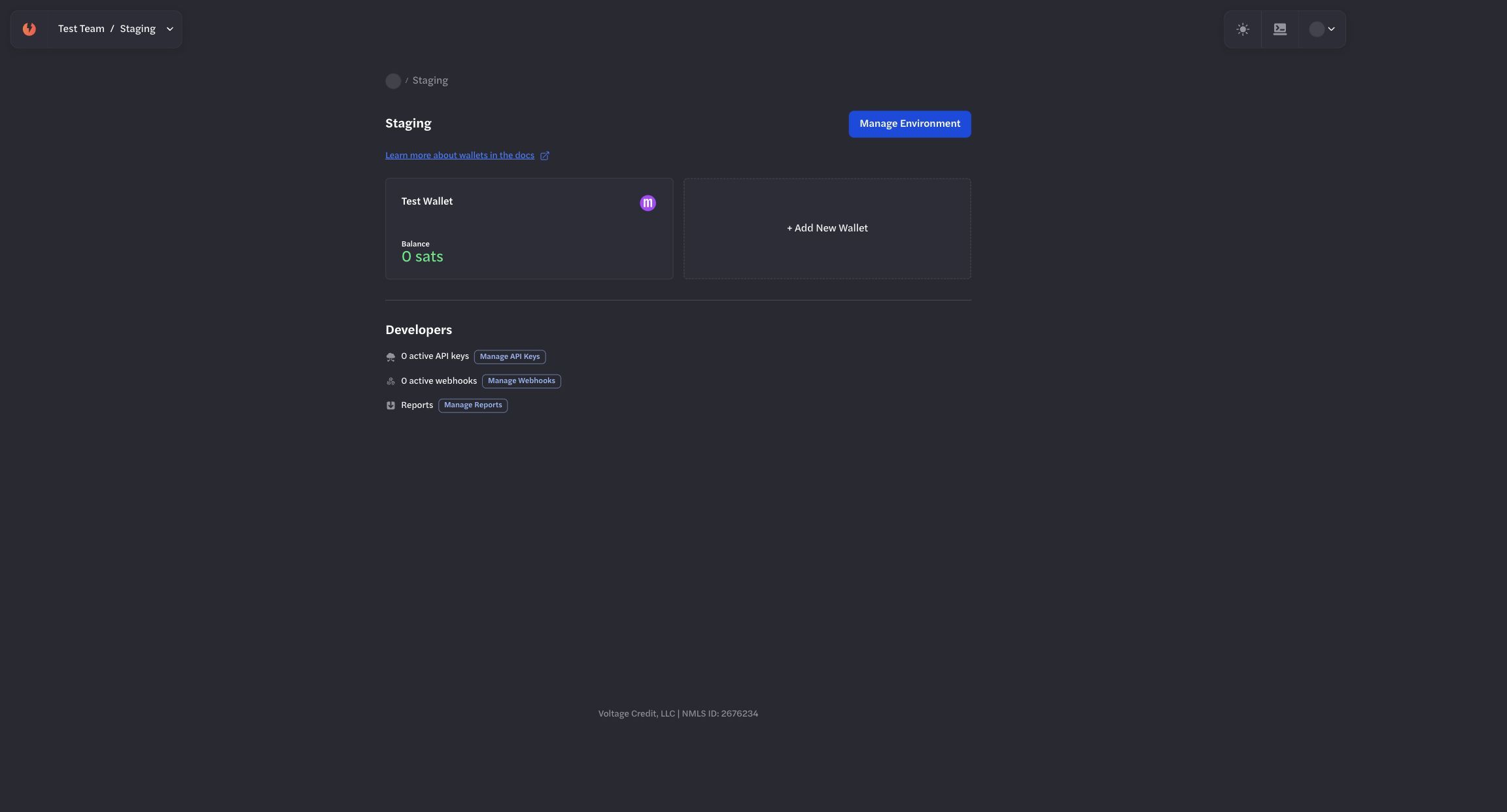
Keep test wallets and their credentials inside the staging environment.
API access
Section titled “API access”Base URL
Section titled “Base URL”https://voltageapi.com/v1Authentication
Section titled “Authentication”Send the staging environment’s key in the x-api-key header. Do not reuse a production key in staging or a staging key in production.
Create a staging wallet through the API
Section titled “Create a staging wallet through the API”Use current organization, environment, and funding identifiers returned by the Payments API. The following request shows the route shape; verify the request schema in the Voltage Payments API reference before sending it.
curl 'https://voltageapi.com/v1/organizations/{organization_id}/wallets' \ --request POST \ --header 'content-type: application/json' \ --header 'x-api-key: YOUR_STAGING_API_KEY' \ --data '{ "environment_id": "{environment_id}", "id": "{client_generated_wallet_id}", "line_of_credit_id": "{line_of_credit_id}", "limit": 100000000, "name": "Staging Wallet", "network": "mutinynet" }'Wallet creation is asynchronous. Treat an accepted response as the start of provisioning and read the wallet state before depending on it.
Test payments
Section titled “Test payments”- Create a test payment request in another Development wallet or approved test wallet.
- Enter the request in the staging wallet.
- Review the amount, maximum fee, method, route, and truncated destination.
- Submit the payment and wait for a terminal status.
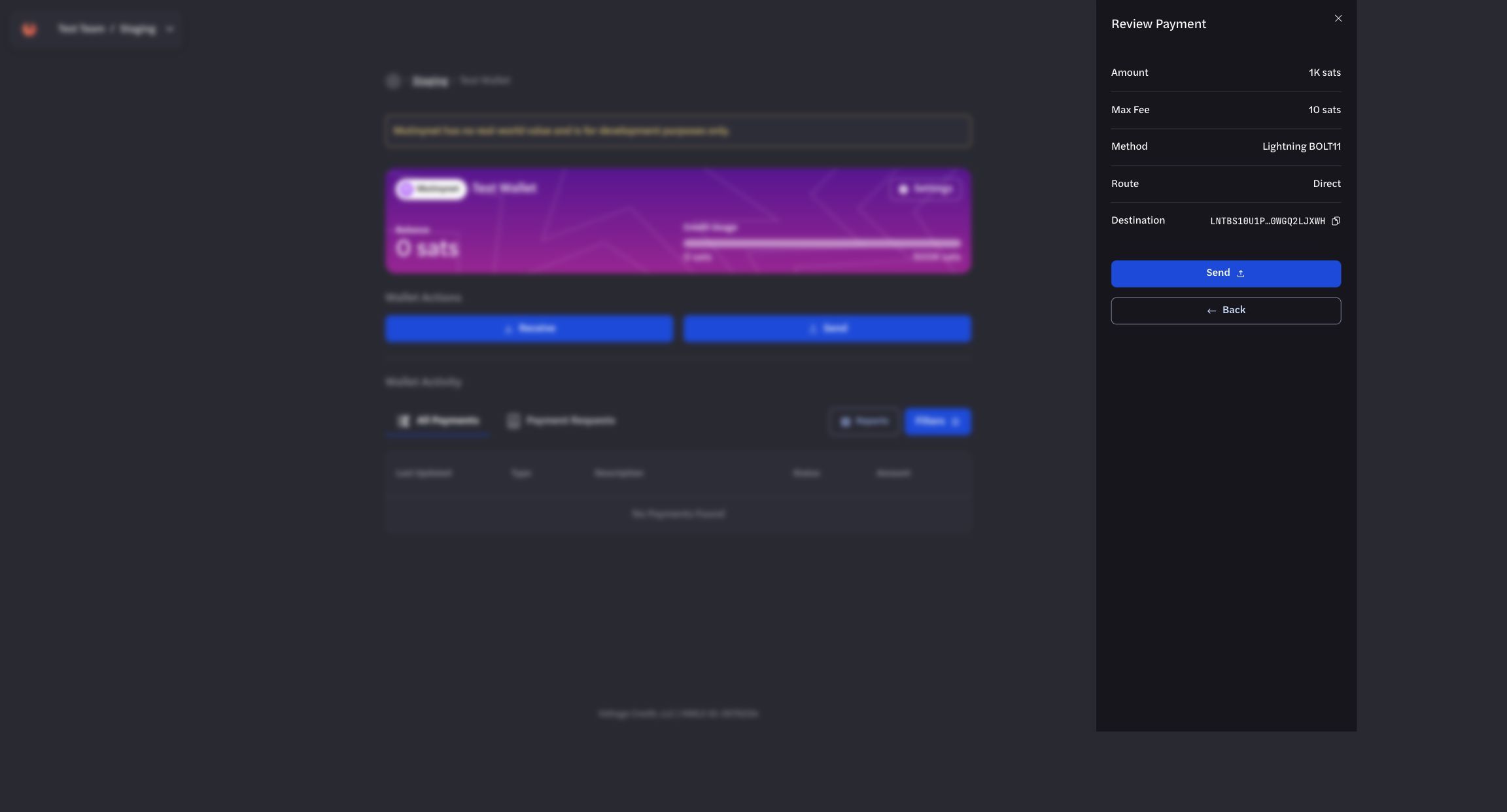
Review the test payment details before submitting it.
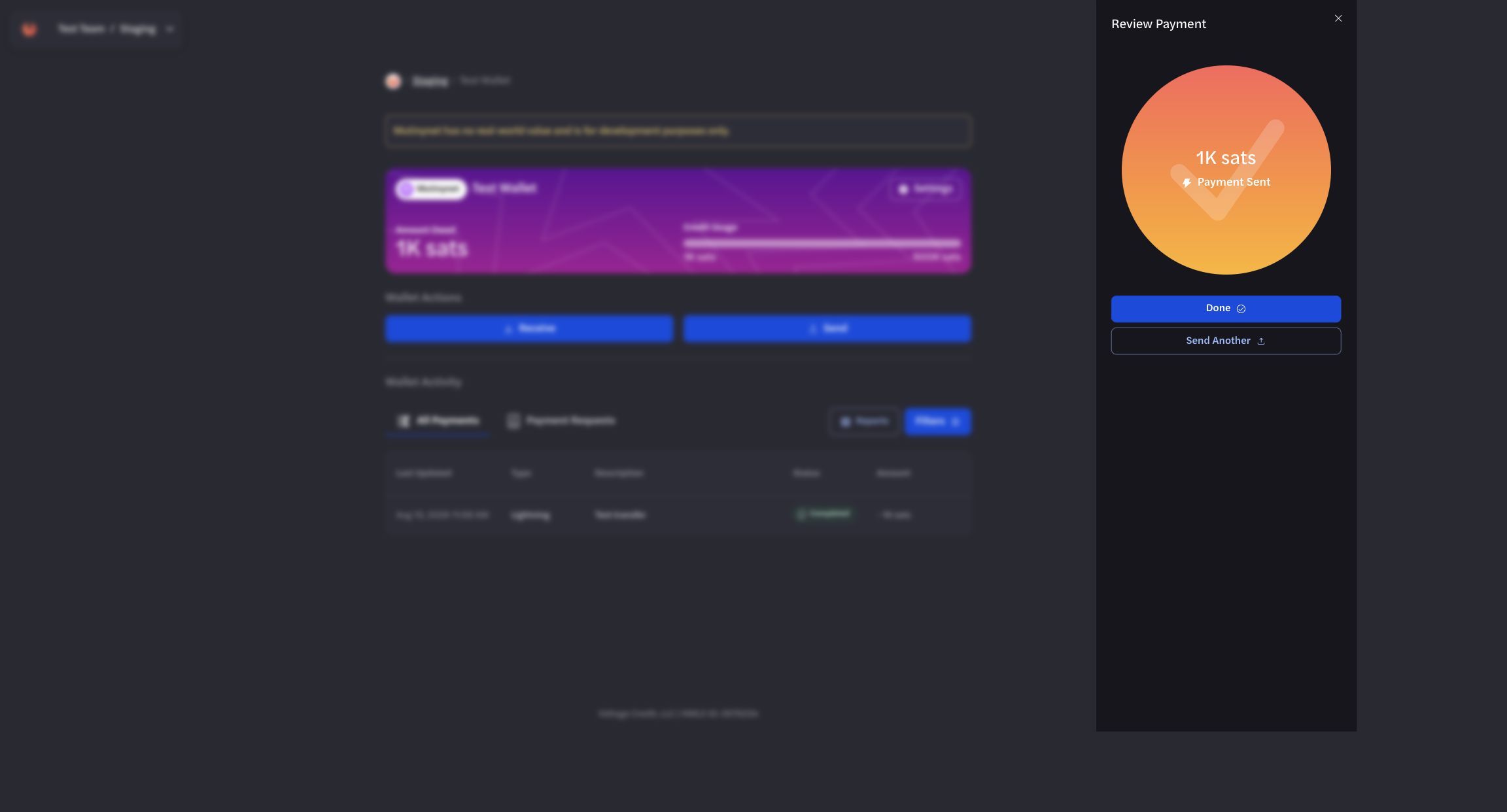
Wait for the final result before treating the staging payment as complete.
Receive
Section titled “Receive”- Select Receive.
- Enter a test amount and optional memo.
- Select Create Payment Request.
- Use the request only in a test workflow.
- Confirm the incoming payment in All Payments.
For API workflows, see Sending, Receiving, and Webhooks.
Verify status and history
Section titled “Verify status and history”- Treat accepted or generated states as non-terminal.
- Confirm the final payment status before fulfilling an order or updating an external ledger.
- Use webhooks for event-driven updates and API reads for reconciliation.
- Use payment filters and reports when investigating a test flow.
Do not rely on fixed settlement timing, fixed test-credit amounts, or automatic credit expansion. Current limits and availability are product-controlled and can change.
Move to production
Section titled “Move to production”- Complete the staging integration and failure-path tests.
- Create or obtain the intended production environment and wallet.
- Create new production API keys and webhook registrations.
- Update the application configuration without carrying over staging credentials or identifiers.
- Run a controlled production verification with current operational approval.
Never use the Mutinynet workflow as evidence that Mainnet funding, limits, fees, or settlement behavior will be identical.