

Developer Guide
Wallet Setup Guide
Looks like you’re ready to start
Section titled “Looks like you’re ready to start”This guide takes you from a new Voltage team to a development wallet that is ready for test payments and API integration.
You will:
- Create an environment for staging work.
- Create a development wallet with no real-world value.
- Confirm the wallet is ready before generating environment-scoped API credentials.
Description of terms
Section titled “Description of terms”Environment: An environment separates staging and production workflows. Wallets, payment activity, API keys, and webhooks belong to the selected environment.
Wallet: A wallet is where balances and payment activity are managed. The creation flow first asks whether you are using Development or Production.
Choose the correct Development wallet
Section titled “Choose the correct Development wallet”- Mutinynet Bitcoin: Use for any Bitcoin-backed implementation, including both node-backed Bitcoin and credit-backed Bitcoin solutions.
- Mutinynet USD: Use when testing a USD line-of-credit implementation. Payments move over Bitcoin or Lightning while the wallet is denominated in USD.
- Voltage Cash: An experimental test wallet for Voltage’s stablecoin solution. It is not currently live for production use because the intended Tether-backed asset has not yet been minted.
All three Development options have no real-world value.
If Voltage has already configured an environment and wallet for your team, proceed to the Developer Guide. Otherwise, use the following flow to create your first development wallet.
Your first wallet
Section titled “Your first wallet”- From the team overview, select New Environment.
- Enter a descriptive name, such as
Staging, and select Create. - After the environment is ready, select Go to Environment.
- Select Add New Wallet.
- Enter a wallet name and select Continue.
- Keep Development selected and choose Mutinynet Bitcoin, Mutinynet USD, or Voltage Cash according to the definitions above.
- Select Create and wait for the wallet overview to load.
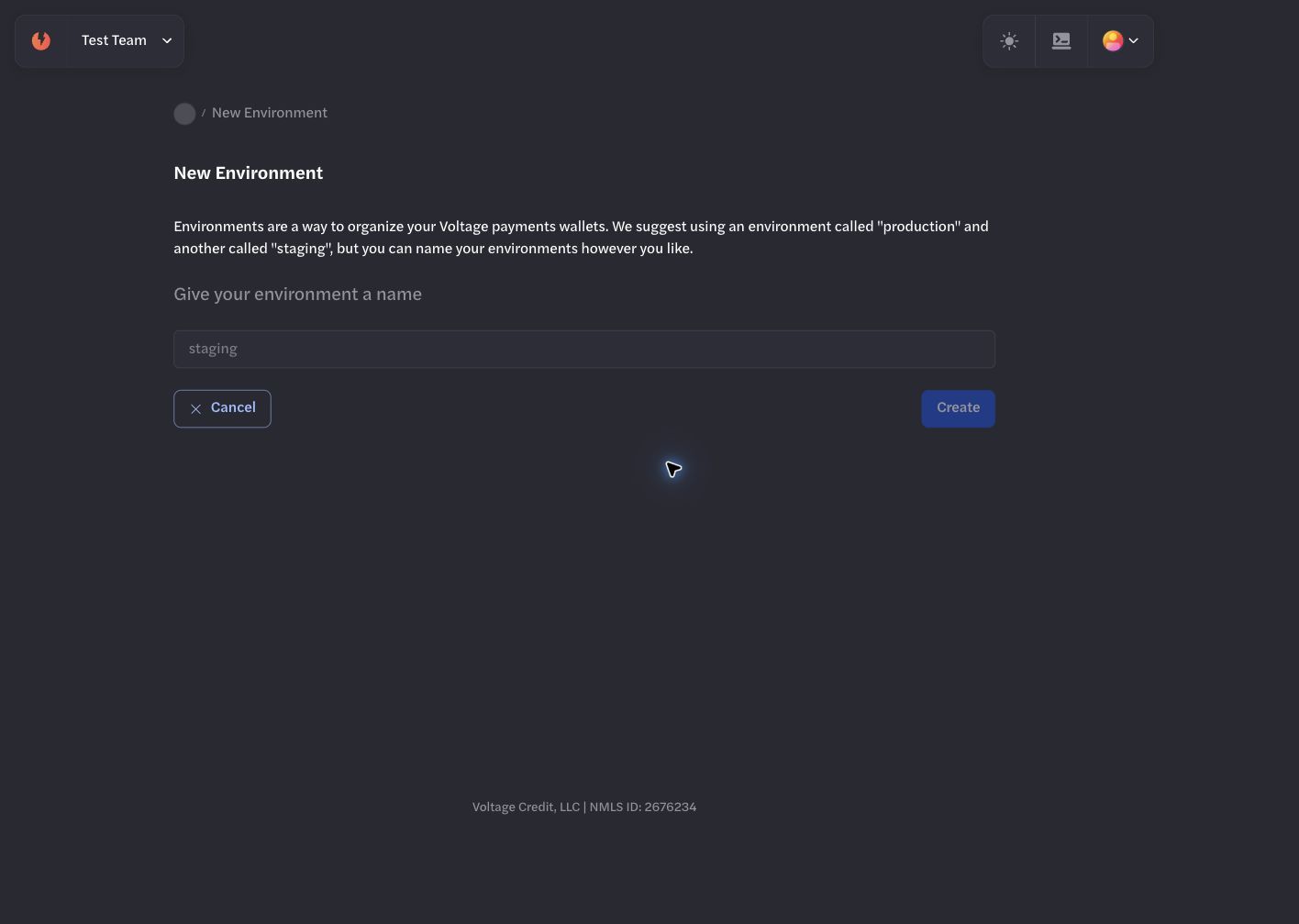
Start from the team overview and create a separate environment for staging work.
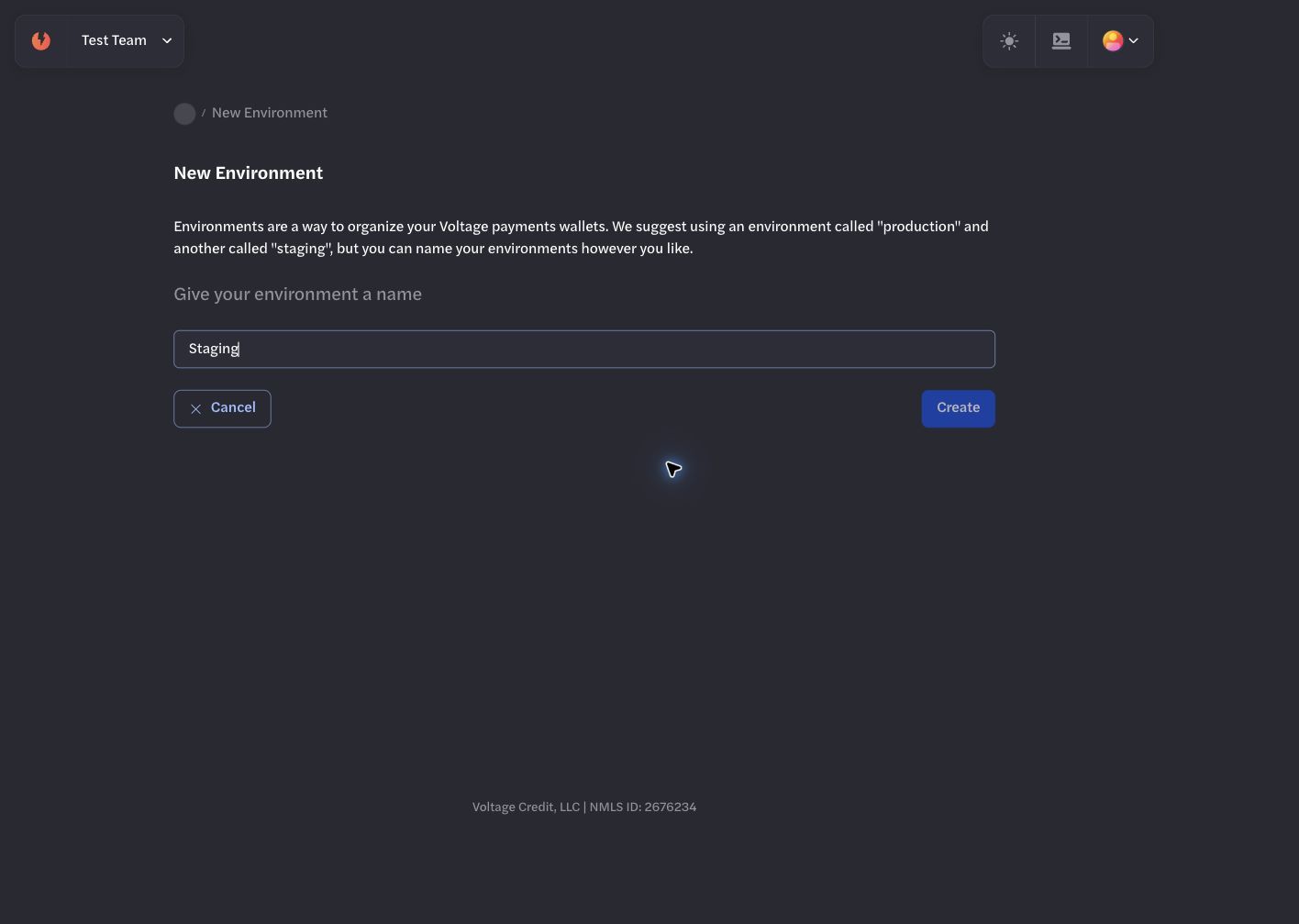
Use a descriptive environment name that makes its purpose clear.
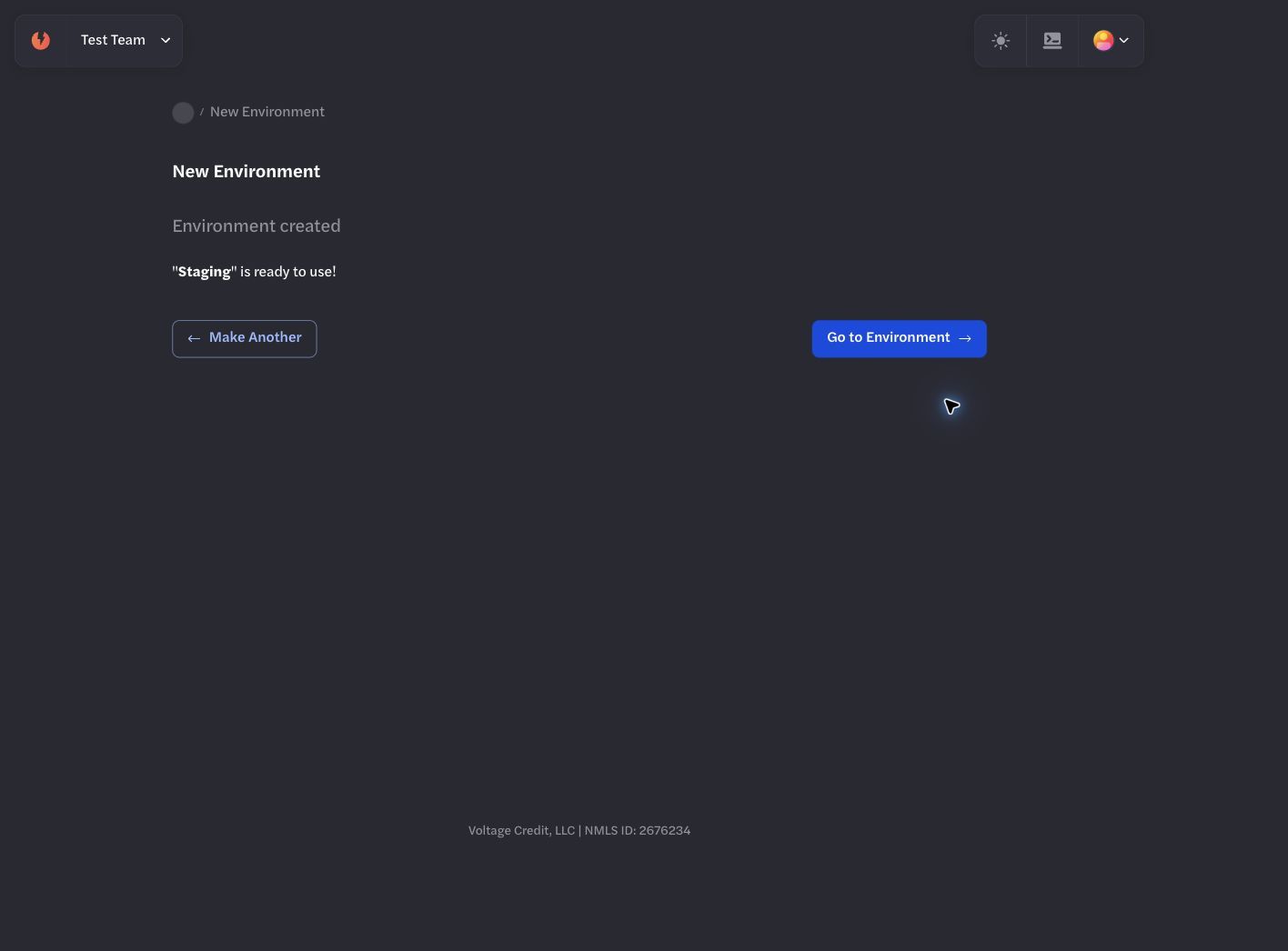
Open the environment after creation to add its first wallet.
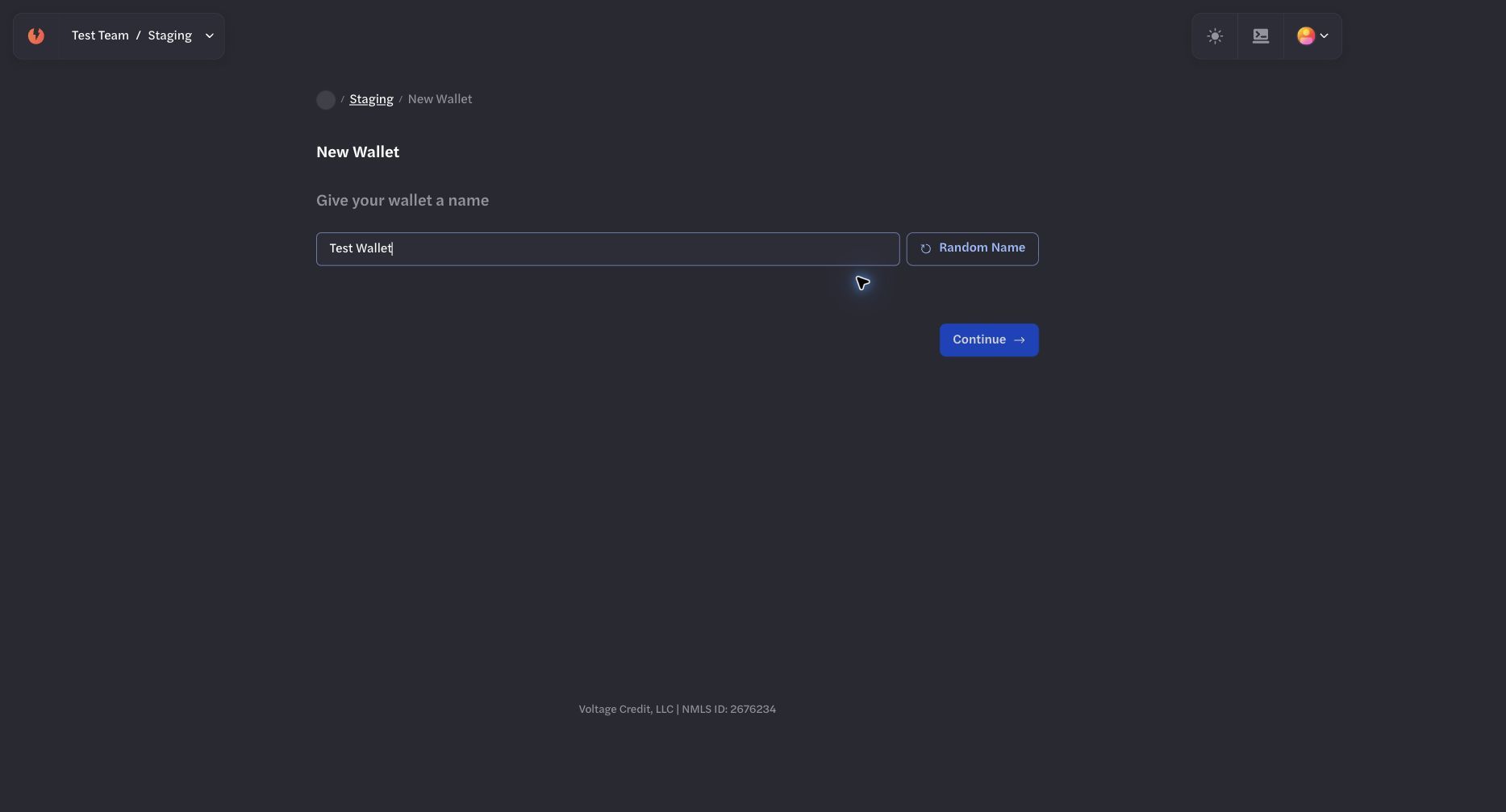
Give the wallet a name that identifies its test purpose.
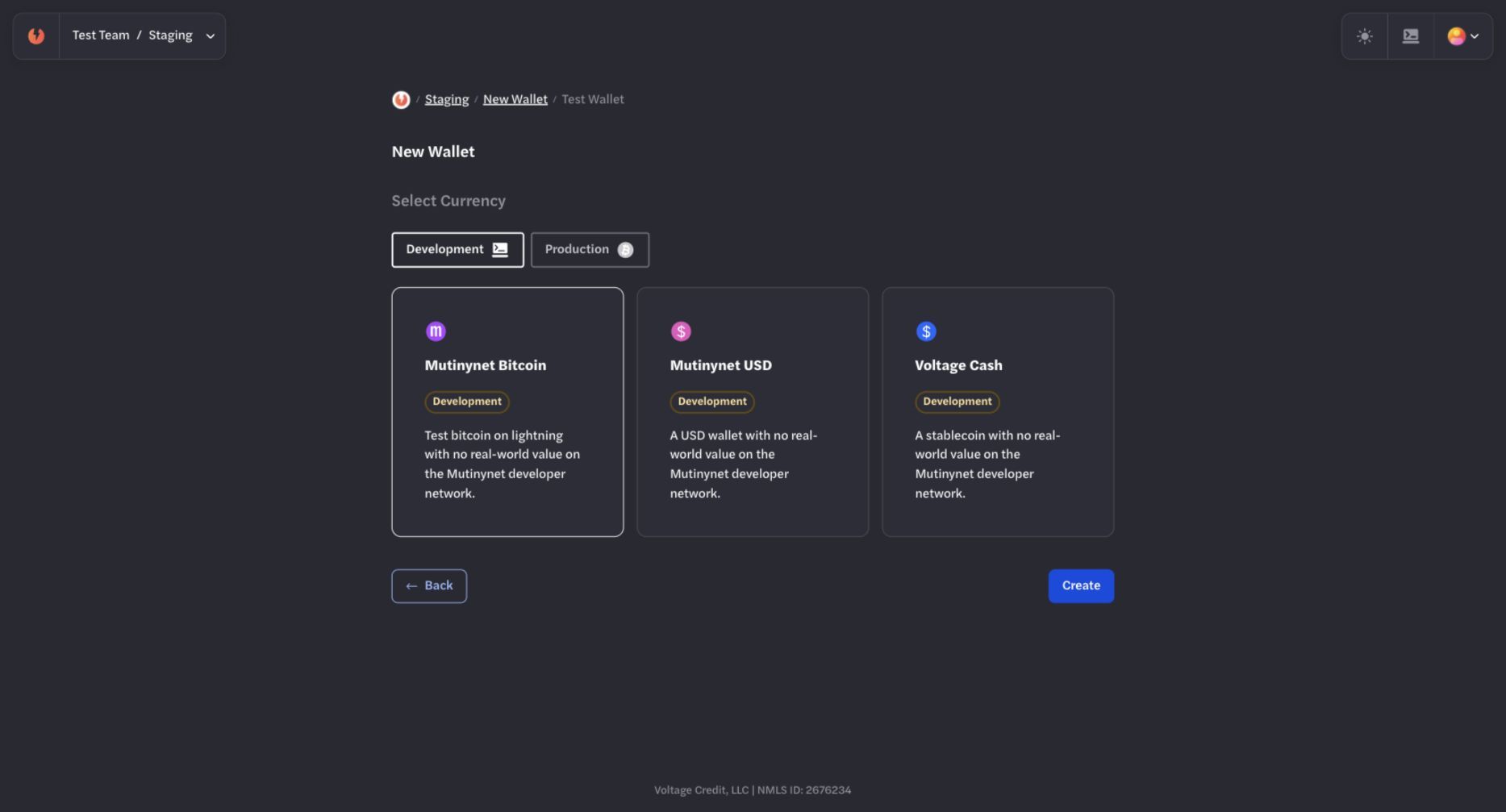
Choose Mutinynet Bitcoin for Bitcoin-backed tests, Mutinynet USD for USD line-of-credit tests, or Voltage Cash only for experimental stablecoin testing.
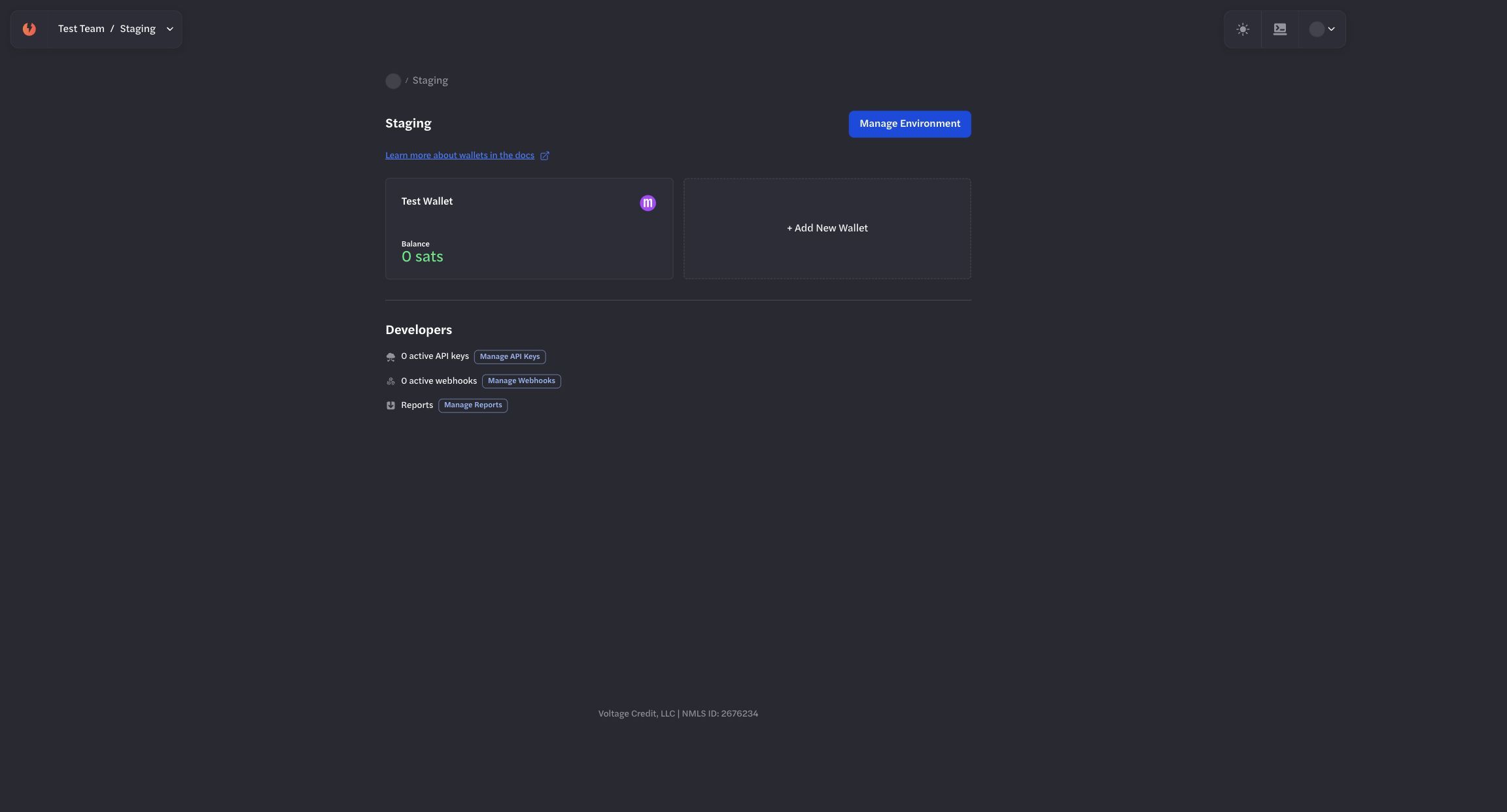
Wait until the wallet is available in the staging environment before continuing.
The wallet overview shows the current network, balance, test-credit usage, payment actions, and activity. You can now test a payment and create an environment-scoped API key.
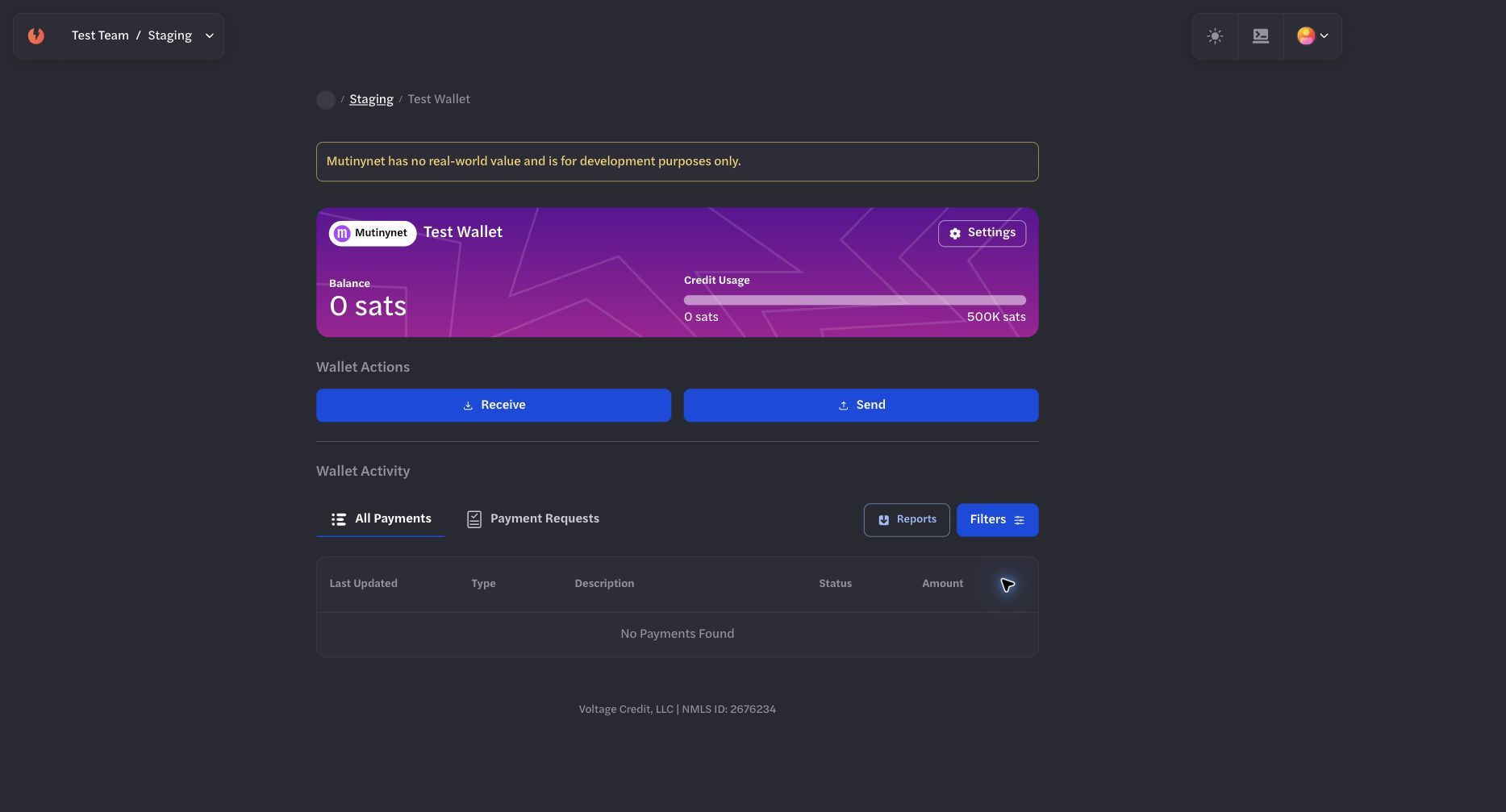
The wallet overview is the starting point for test payments and wallet activity.